
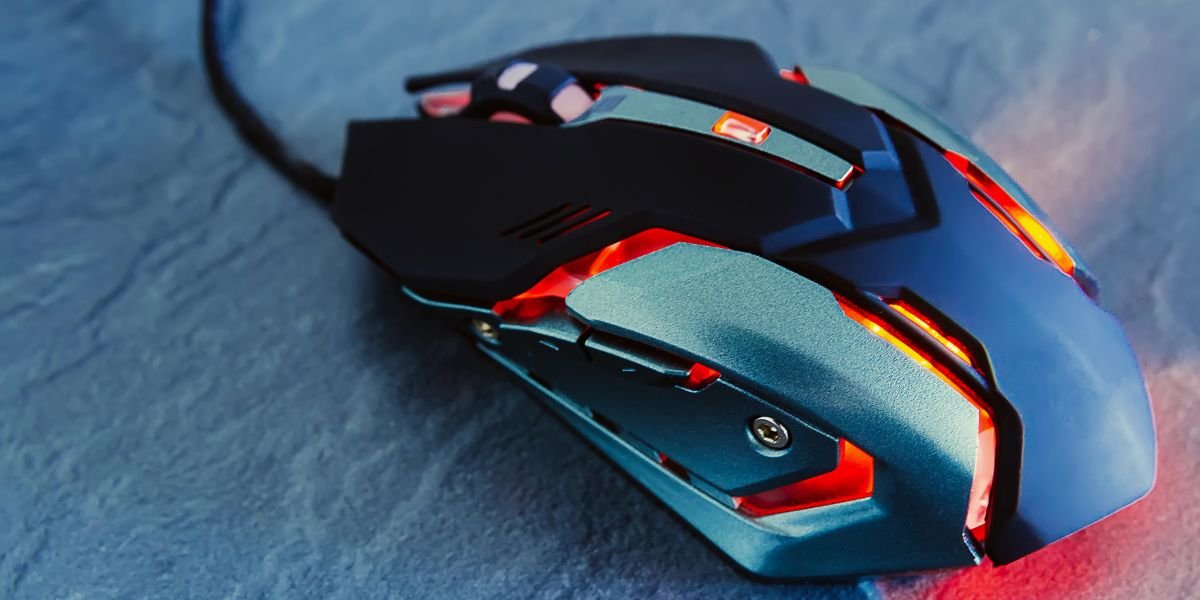
The Role of Gaming Mice in Precision and Performance
When it comes to gaming, precision is everything. Have you ever considered whether a gaming mouse might be the key to unlocking greater accuracy? The impact of a gaming mouse on your performance could be more profound than you think. With advanced features and customizable settings, gaming mice open up new possibilities for improving your gameplay. But how do they work, and what advantages do they offer? Let’s delve into the world of gaming mice and their potential to elevate your accuracy to the next level.
Benefits of Using a Gaming Mouse
A gaming mouse can drastically improve your accuracy and precision in various gaming scenarios. One of its standout features is higher DPI (dots per inch) sensitivity, which enables smoother, more precise on-screen movements. You can adjust DPI settings to cater to specific game genres, from fast-paced first-person shooters to strategic real-time strategy games. This customization allows you to align the mouse’s responsiveness with your personal playstyle, giving you a competitive advantage.
Additionally, gaming mice often feature programmable buttons that can be assigned to specific in-game actions. These buttons streamline gameplay by reducing reliance on keyboard shortcuts, enabling faster command execution. Ergonomic designs are another hallmark of gaming mice, offering a comfortable grip during extended sessions. This reduces hand fatigue and enhances control, allowing you to remain focused and perform at your best.
Factors Influencing Accuracy with Gaming Mice
To maximize your precision with a gaming mouse, it’s important to understand the factors that affect its performance. Sensitivity settings, for instance, play a vital role in aiming accuracy. Adjusting DPI impacts how fast your cursor moves on the screen relative to your physical movements.
The mouse’s weight and shape also influence precision. A well-balanced, comfortable design ensures smooth, controlled movements during gameplay. Sensor type is another critical factor. Optical sensors are known for their reliability and precision, while laser sensors offer higher DPI but may be more sensitive to surface inconsistencies. Finally, the quality of your mouse pad can impact tracking accuracy. A smooth, consistent surface enhances the sensor’s ability to register movements precisely.
Tips for Enhancing Precision in Games
To improve your in-game accuracy, consider optimizing your mouse settings to suit your preferences. Start by fine-tuning sensitivity levels. Experiment with different settings to achieve a balance between precise aiming and responsive control. Lower sensitivity often results in more accurate aiming, while higher sensitivity supports quicker movements.
Customizing your mouse buttons can also boost efficiency. Assign key actions or commands to specific buttons for faster reaction times in critical moments. Ensure your mouse operates on an appropriate surface, as a high-quality mouse pad improves tracking and minimizes jitter.
Regular practice is equally essential. Building muscle memory through consistent gameplay can sharpen reflexes and enhance precision over time. By incorporating these strategies, you can elevate your gaming performance to new heights.
Understanding DPI and Sensitivity Settings
Optimizing your gaming experience starts with understanding DPI and sensitivity settings. DPI measures how sensitive your mouse is to small movements. A higher DPI means the cursor moves further on the screen with less physical movement, ideal for fast-paced games requiring quick reflexes. However, excessively high DPI can reduce control if not balanced properly.
In-game sensitivity settings also affect cursor or crosshair responsiveness. Finding the right combination of DPI and sensitivity is critical for achieving optimal performance. Experimentation is key to determining the setup that best complements your playstyle.
Customizing these settings allows you to tailor your gaming experience, whether you prefer high DPI for rapid action or lower sensitivity for pinpoint precision. Fine-tuning these parameters can greatly improve both accuracy and overall gameplay.
Real-Time Adjustments for Better Performance
The ability to make real-time adjustments to DPI and sensitivity settings can significantly impact your gaming performance, particularly in fast-paced scenarios. For instance, increasing DPI on the fly helps you track targets swiftly in shooter games where split-second reactions are crucial.
Lowering sensitivity during sniping sequences allows for more precise aiming, while boosting it during close-quarters combat enhances your ability to respond quickly to dynamic situations. Adapting to the demands of different in-game scenarios provides a critical edge over opponents less adept at making such adjustments.
Mastering real-time customization of your mouse settings can enhance accuracy, reaction times, and overall performance. By honing these skills, you’ll be better equipped to excel in the competitive world of gaming.